

Online Profiles Database
Forceseatpm Is Changing for You
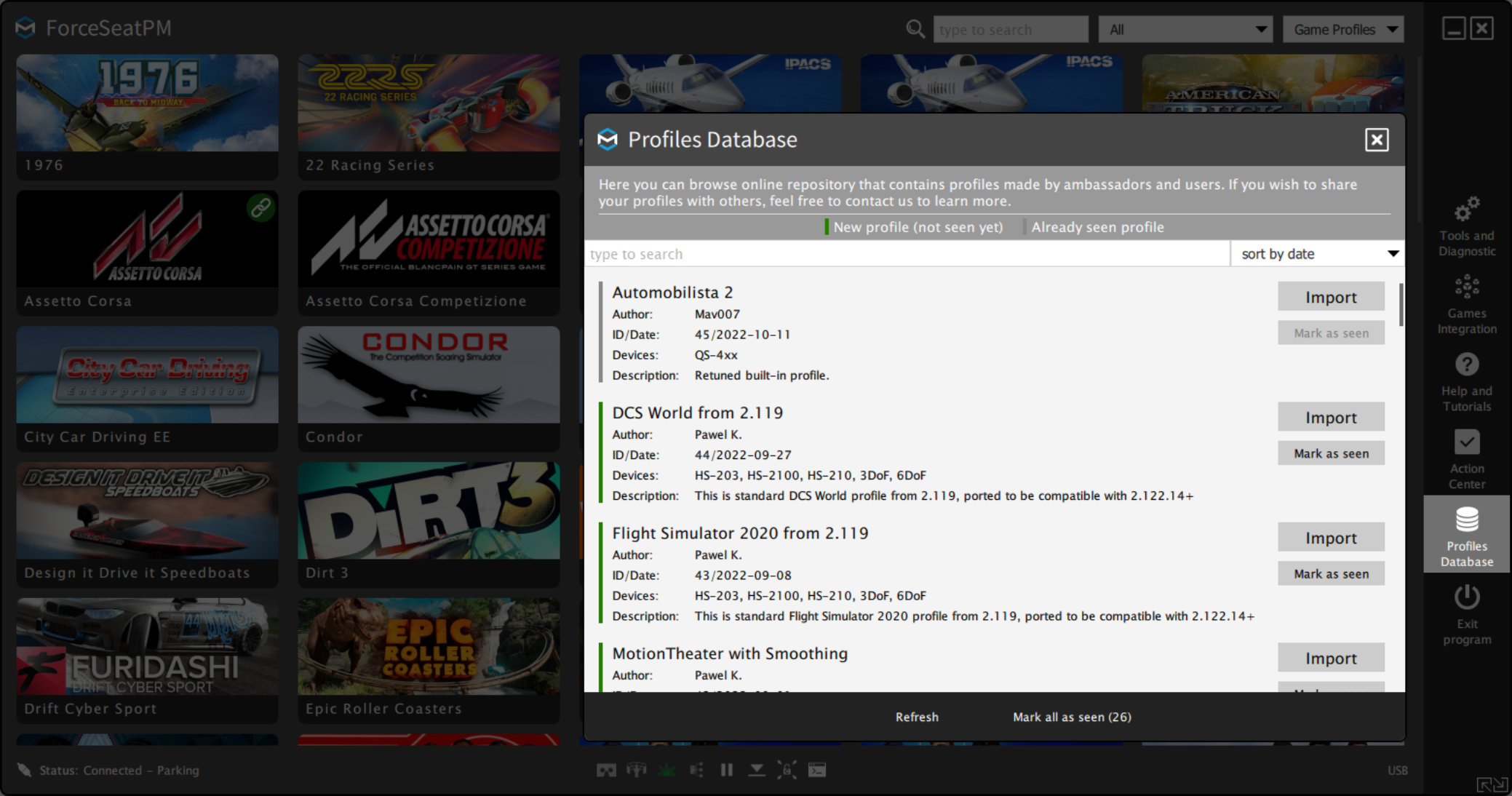
In the latest release, we introduced ready-made game profiles created by our engineer's team, testers and pro racers. In this way, we have enabled less experienced users to benefit from the expertise of motion platform experts and made the feel even more realistic.
In addition, we would like our profile database to keep growing, so please send us your finished profiles with a description. Our team will check them and, if everything is correct, we will add it to our database along with a description and the author's nickname!
Dashboard Themes
Support for Usb Displays
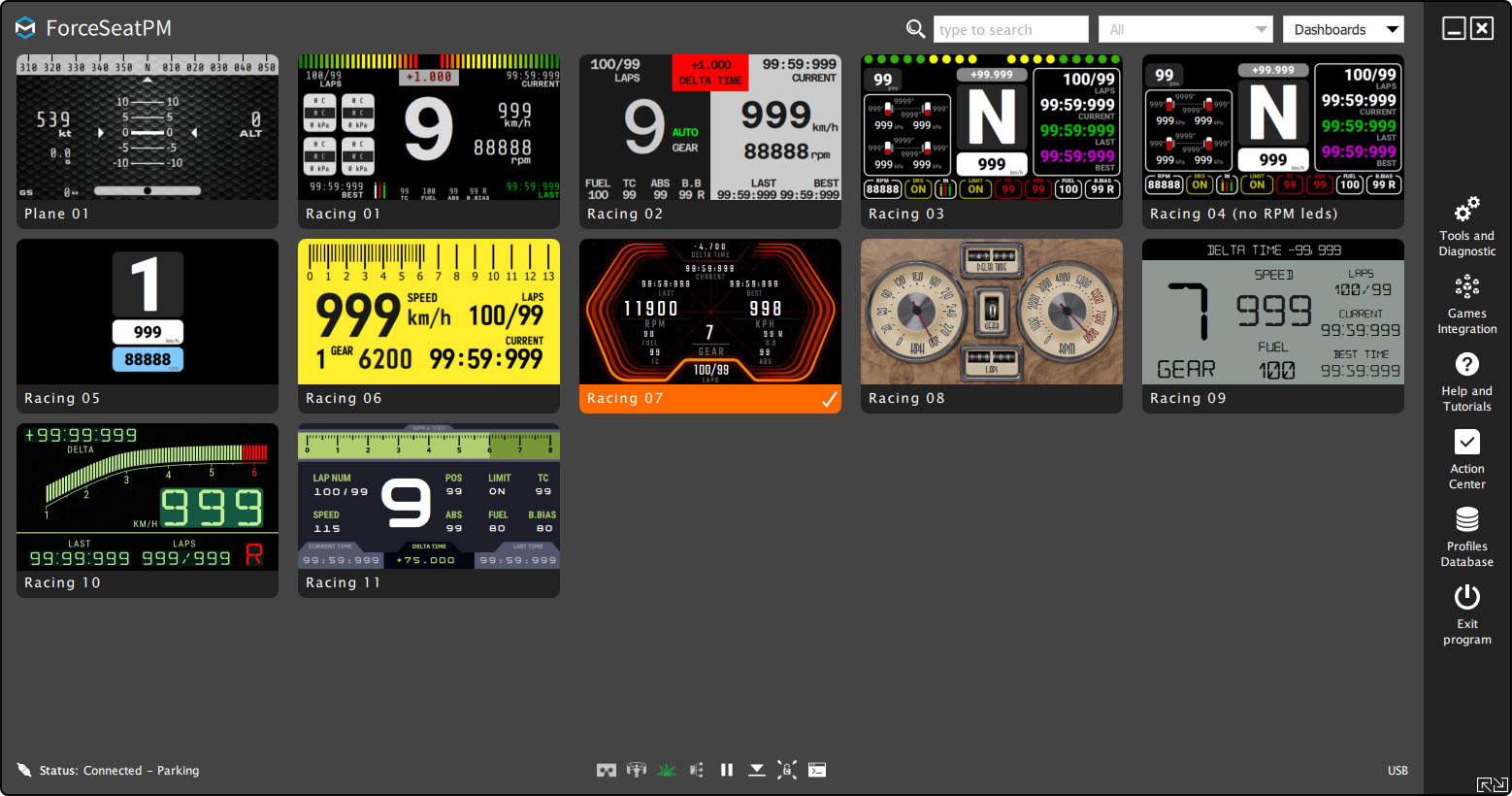
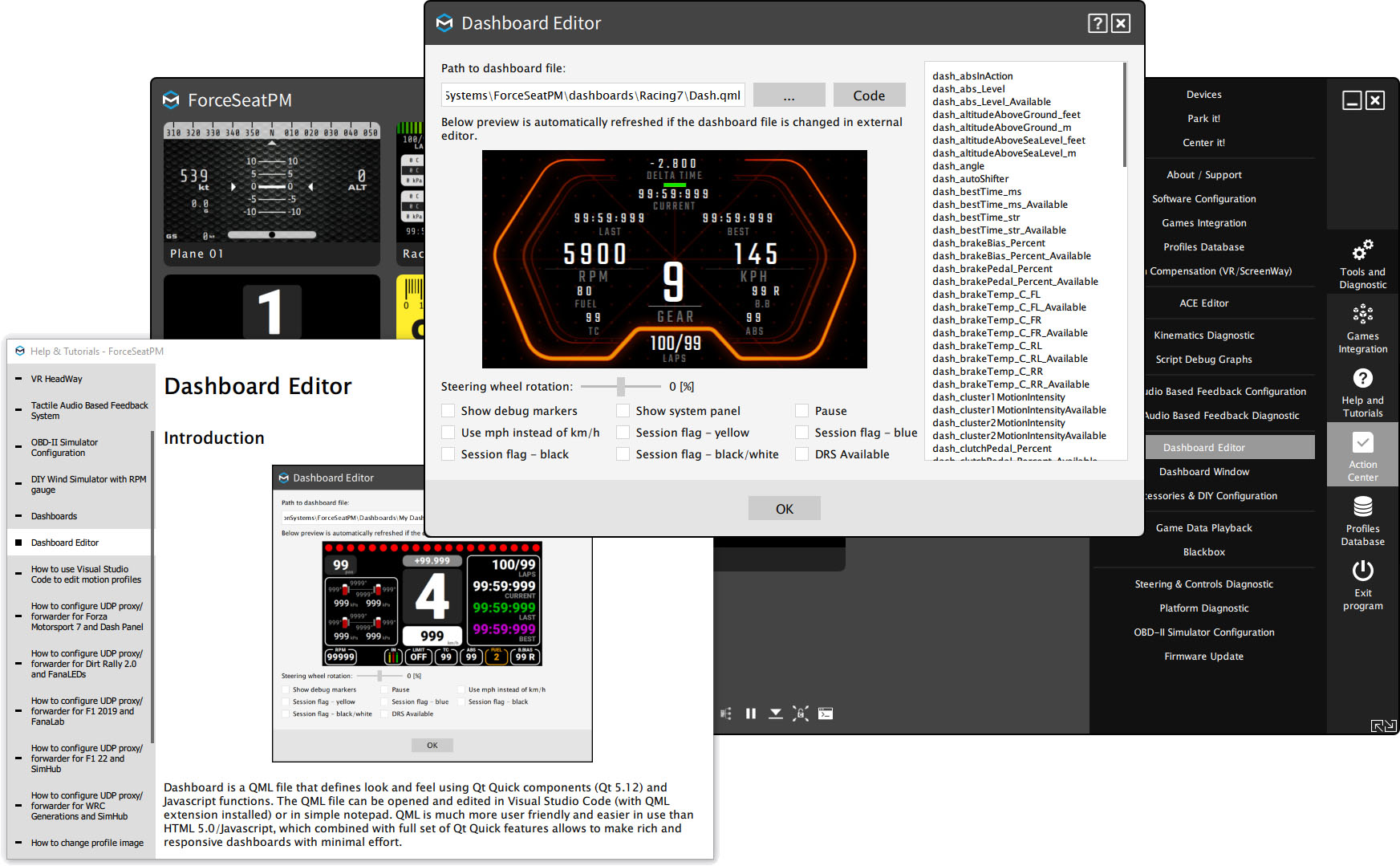
In the latest version, we added a dashboards tab. In it you will find dashboards created by our team ready to use on usb displays and other devices. In addition, we have introduced the ability to create your own dashboards. In the Help&Tutorials tab you will find information on how to start creating your own dashboards.
Many Small Improvements
Thanks to Our Beta Testers
The beta testing program has been a success. Thanks to the help of users in the beta test program, we were able to make a number of improvements including improving support for OpenXR. Many of the reported improvements have been implemented on the fly. Anyone interested in being part of the Motion Systems community is encouraged to join the beta testing program!
Changelog
Latest Changes in New Release
2022.11.04: Version 2.123
New features and fixes
- CL01 – Automobilista 2: Enabled ScreenWay for this game and added information about required game configuration.
- CL02 – Auto detect current game: This new function detects when a game is launched from outside platform manager and automatically activates the matching profile.
- CL03 – F1 22: VR HeadWay has been enabled for this game.
- CL04 – Live For Speed: Retuned motion profile for HS-210.
- CL05 – The Crew 2: Added support for this game (KL06).
- CL06 – Aerofly FS4: Added support for this game (KL01).
- CL07 – Introduced context help system.
- CL08 – Help: Added a tutorial showing how to control the platform manager from a 3rd party application.
- CL09 – Flight Simulator 2020: Fixed incorrect factor value for lateral acceleration boost for HS-210.
- CL10 – Violent Movement Suppressor has been added to almost all profiles.
- CL11 – ACE and non-ACE profiles have been merged together.
- CL12 – F1 2015, 2016 and 2017 are no longer supported.
- CL13 – Dashboards: Introduced support for VoCore Screen (USB display).
- CL14 – Flight Simulator 2020: Fixed incorrect pitch calculation for HS-203/HS-2100.
- CL15 – DCS World: Reimplemented motion profile for HS-203/210/2100.
- CL16 – iRacing: Added max RPM value extraction from session data.
- CL17 – Flight Simulator 2020: Retuned profile for QS-4xx.
- CL18 – VR HeadWay: Changes have been made to the VR API integration module.
- CL19 – Flight Simulator 2020: Fixed reverse yaw motion for HS-210.
- CL20 – No Limits 2 Rollercoaster: Remapped quick tunes from Roll/Pitch to Lateral/Longitudinal G-Forces.
- CL21 – Flight Simulator 2020: Improved handling of SimConnect errors and timeouts.
- CL22 – Added detection when graphics drivers caused the application to crash, plus options for the user.
- CL23 – VR HeadWay for OpenXR: Updated compensation algorithm to handle trackers and different camera centering.
- CL24 – Changed default UDP port for Live For Speed, Dirt 3, GRID 2 and GRID Autosport from 10010 to 20777.
- CL25 – Assetto Corsa series and iRacing: Updated motion profiles for QS-4xx and QS-Vxx with Factory Presets.
- CL26 – X-Plane 12: Added support for this game.
- CL27 – VR HeadWay: HUD compensation for games that use SteamVR.
- CL28 – VR HeadWay: System-wide option to disable compensation for SteamVR and OpenXR.
- CL29 – VR HeadWay: HP Reverb G2 related fixes for OpenXR.
- CL30 – VR HeadWay: Fixed compatibility issues with Automobilista 2 + OpenComposite.
- CL31 – VR HeadWay for OpenXR: Now receives diagnostics for debugging and diagnostics purposes.
- CL32 – DCS World: Improved compatibility with the 2.8 open beta.
- CL33 – WRC Generations: Added support for this game however due to issues related to telemetry data quality (KL07).
Known limitations
- KL01 – Aerofly FS2/FS4: The ‘accelerations’ data rate is 1 Hz and ‘bank/pitch’ data rate is 10 Hz. To work with such slow telemetry rates, the motion profile uses mainly roll, pitch and yaw plus interpolation when possible.
- KL02 – DCS World: Not all planes provide engine RPM for the Tactile Audio Based Feedback system.
- KL03 – KartKraft: Support for CKAS has to be disabled in game settings, otherwise the platform manager crashes. This is caused by a bug in the game SDK.
- KL04 – WRC 7, 8, 9, 10: Unofficial 3rd party patch is used to retrieve telemetry data. The patch might stop working if a game update is deployed making it incompatible.
- KL05 – Flight Simulator 2020: The game runs the simulation partially even when the user is in the main menu but does not provide any flag to indicate this, causing undesired operation of the motion platform.
- KL06 – The Crew 2: The game tends to send corrupted telemetry data (crazy accelerations and velocities) in areas around bridges. To avoid violent platform operation, this condition is detected and filtered out.
- KL07 – WRC Generations: The game does NOT output telemetry data during training sessions and DOES output unwanted telemetry data during loading and post-race stages.


